HOW TO ORDER A TAQXSAVER TICKET?
You can now place your order for your TaxSaver ticket via our Icon Accounting portal.
Simply follow the below steps to place your TaxSaver ticket order:
Once you click on order Taxsaver ticket, you will be brought to the page below, where you will have to highlight your preferred ticket delivery method
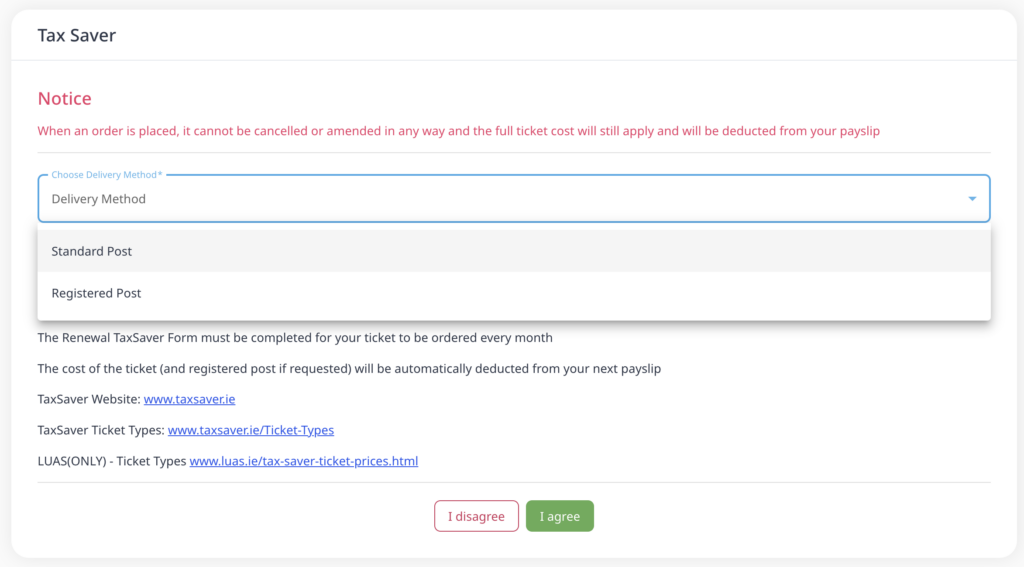
Once you click ‘I Agree’, you will be brought to page below:
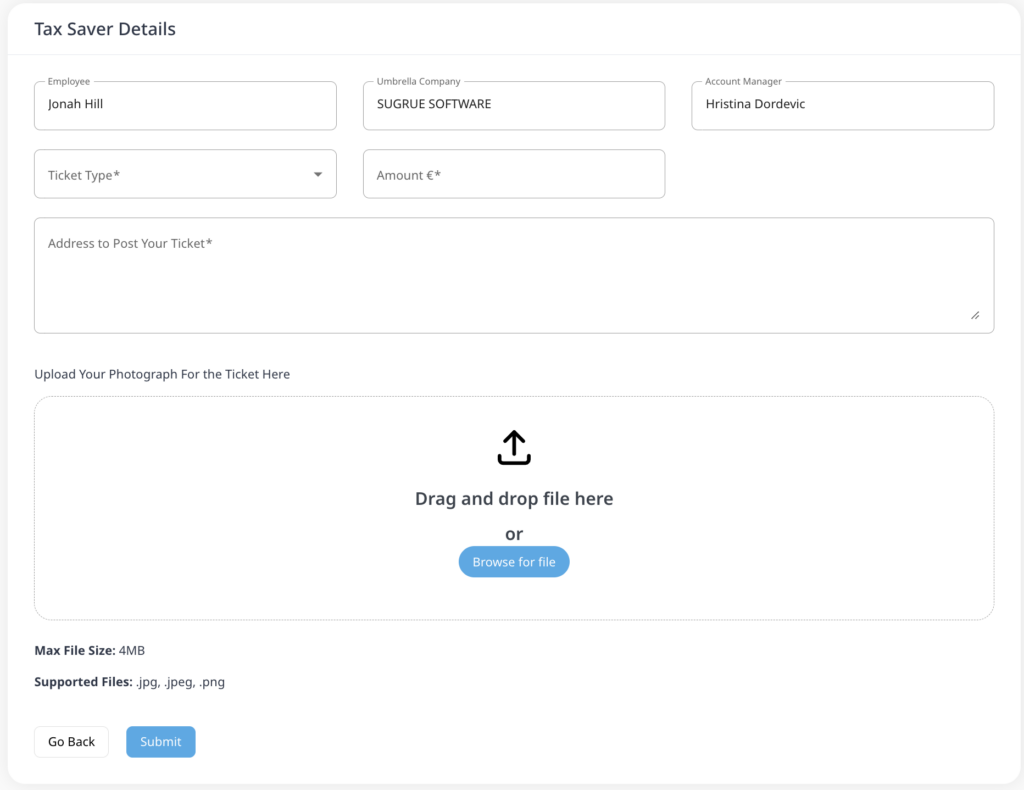
Please Note: When you place your first TaxSaver ticket order, you must select your required ticket type and upload a JPEG image
When reordering your ticket, the previous order details will be prefilled, and these can be edited should you wish to change your order.
Leave a Reply